

Pay international contractors
Run payroll once. Pay contractors in USDT or USDC.
Add your contractors, fund payroll by wire transfer and approve each run. Contractors receive stablecoins in their own wallets, with an invoice, payroll summary and payslip for every cycle.
Backed by









Why paying contractors gets complicated as your team spreads across borders

01
International transfers are slow and costly
Paying a designer in one country and a developer in another often means separate wires, intermediary fees and days of waiting. Some contractors work where receiving international payments is hard, and every delay lands on the people doing the work.
02
Keeping every payment on schedule takes manual work
As your team grows, so does the list of who gets paid, how much and when. Tracking amounts, wallet addresses and pay dates in spreadsheets makes it easy to miss a payment or send funds to the wrong address.
03
Every payment needs a document, not just a transfer
Contractors expect a record of what they were paid, and your finance team needs one for every cycle. A wallet transfer alone doesn't show the billing period, the amount owed or the fees behind it.
Why pay contractors with AllScale
One payroll schedule
Pay everyone monthly, bi-weekly or weekly on one company schedule, or start an on-demand run.

Wallets verified first
Send a 1 USDT test payment to each contractor's wallet and mark it verified before full payroll.

Approve before funds move
Review totals and pay dates, then approve each run. Nothing goes out until you approve it.

Documents for every cycle
Download a deposit invoice, payroll summary and service receipt, and give each contractor a payslip.
Three steps from team list to paid contractors.
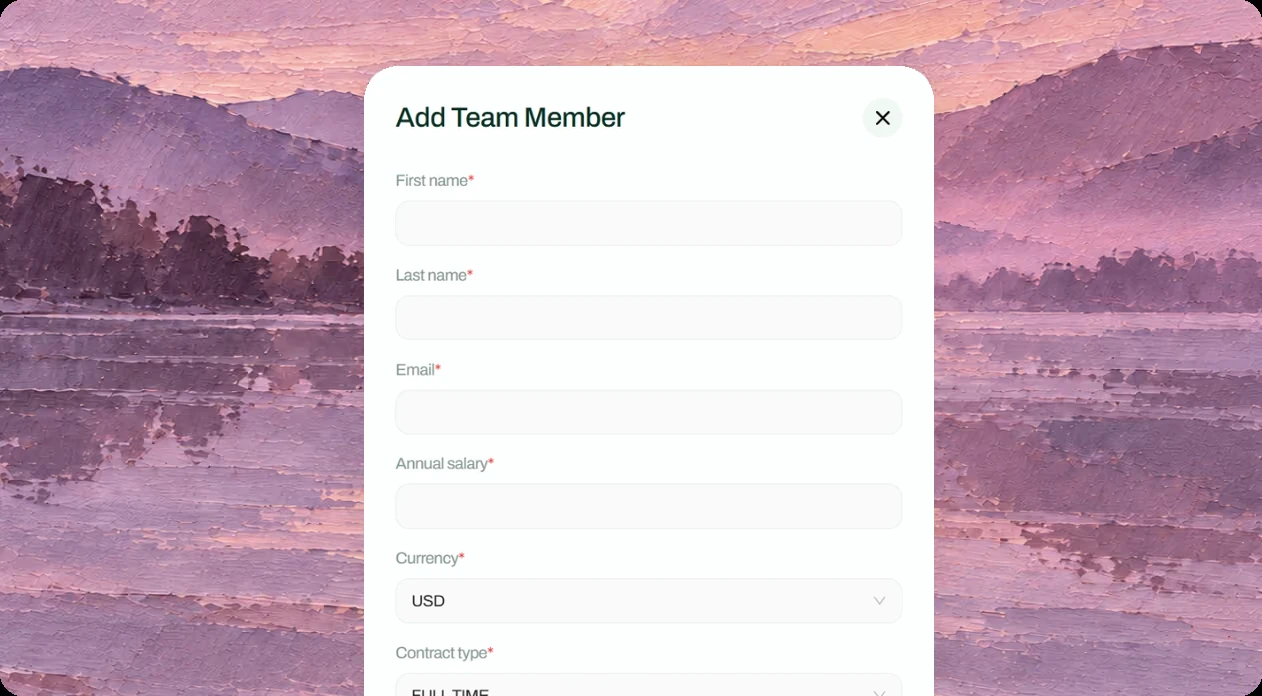
Add your team
Invite contractors one by one or import them from an XLSX template. Each contractor registers a wallet, and you can send a 1 USDT test payment to confirm the address before payday.
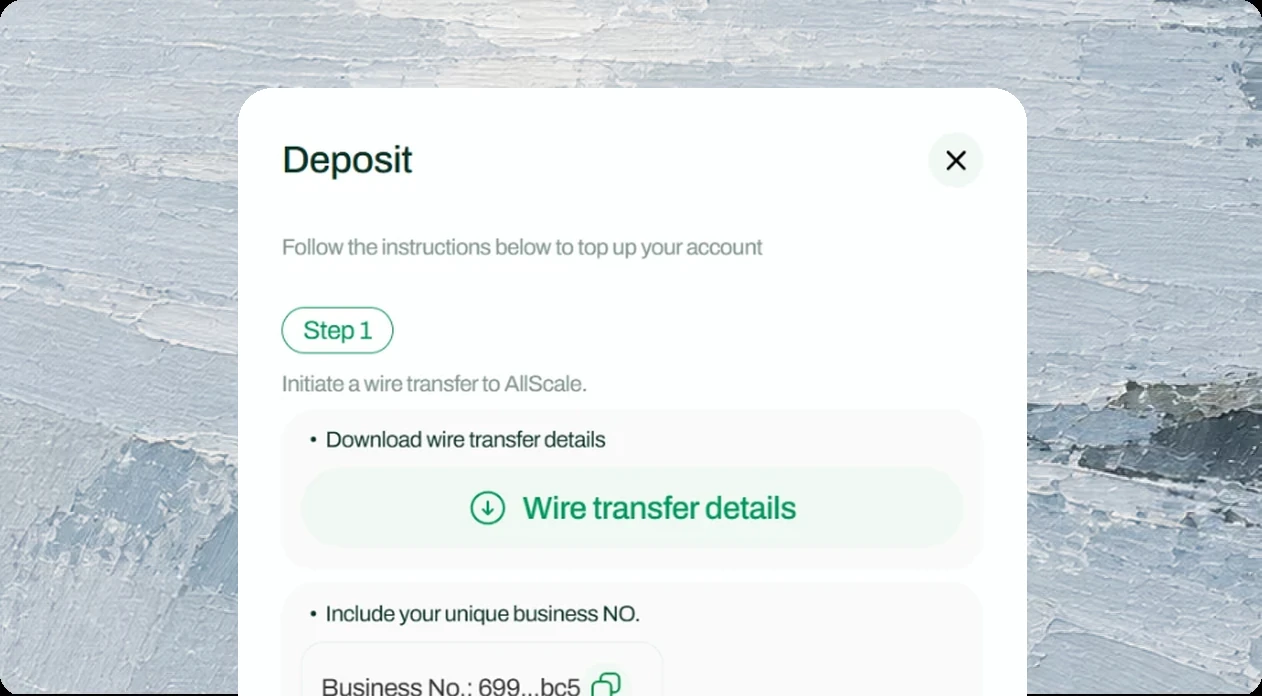
Fund your balance
Deposit by wire transfer from your USD business bank account and include your Business Reference Code. Deposits usually appear in your balance in up to 2 business days.
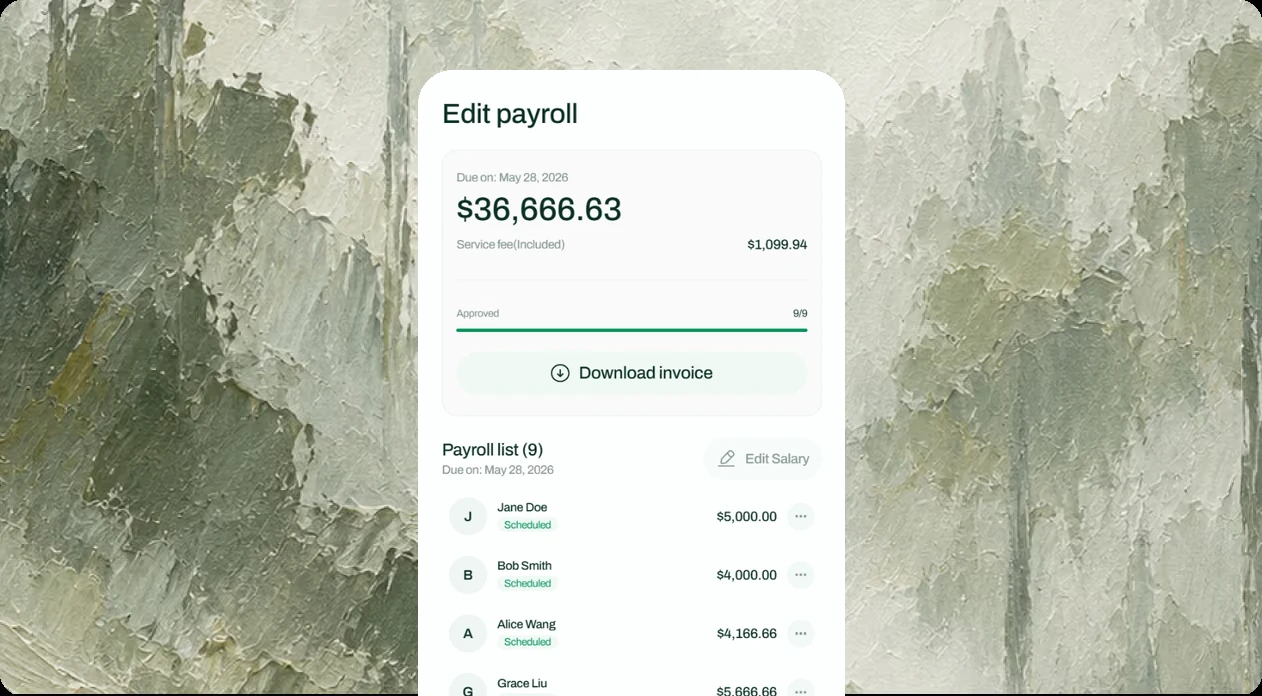
Approve and pay
Review the payroll, click Approve for all and track each run from Scheduled to Payment sent. Contractors receive stablecoins in their wallets, with a payslip for every payment.
Built for teams that pay people across borders

01
AI companies
Pay the engineers, researchers and specialists building your models and products across borders.
Explore AI solutions

02
Online commerce businesses
Pay the developers, designers and specialists who build and support your online business.
Explore commerce solutions
03
One-person companies
Pay the freelancers and specialists you bring in for each project, wherever they work.
Explore OPC solutionsKnow the details,
Move with clarity
Assets & networks
Contractors receive USDT or USDC in their own wallets. Supported tokens and networks are as follows:
 Ethereum
 BNB Chain
 Arbitrum
 Polygon
 Base
Base Optimism
Pricing & availability


Account structure & eligibility
AllScale provides financial technology and a self-custodial wallet. It is not a bank or digital-asset custodian. Banking and card services have separate eligibility and verification requirements.
Code audit results
AllScale’s EIP-7702 smart contracts have completed an independent security audit by BlockSec. The full signed report, including the reviewed scope, findings, and remediation status, is publicly available
Review the security auditPaying international contractors, explained
Should I use Payroll or Claim Link to pay people?
How do I fund payroll?
Is AllScale the employer of my contractors?
What happens if a payroll isn't approved on time?
Pay your global team the way your business needs
Make contractor payments part of how your business runs. Talk with our team about setting up Payroll, funding your balance and paying people across borders.