
By AllScale Editorial · Updated October 23, 2026 · 9 min
To send USDC on Polygon, confirm Polygon PoS and the exact token supported by the recipient. Native USDC and USDC.e have different contracts. Match the receiving instructions, review the amount and fee, then check both the network transaction and the recipient’s account credit.
A receiving page that says “USDC” is only a starting point. Before you send, establish which network and token that particular deposit route accepts. This guide covers transfers on Polygon PoS; sending from another network requires a separate supported transfer or conversion route.
Before you send USDC on Polygon
Work through these five checks in order. The recipient should provide current receiving instructions from the account or wallet where the funds are meant to arrive.
If one of these checks is unresolved, pause before submitting. Sending a small amount of an unsupported token does not make the route supported.
For a new route that passes all five checks, a small test may help verify the receiving process. Keep it above any deposit minimum, wait for confirmation of account credit, and recheck the details before sending the remainder. A test does not remove larger-payment limits or compliance reviews.
Match native USDC or USDC.e to the receiving route
Native USDC on Polygon PoS is issued by Circle. USDC.e is the Ethereum-bridged version identified in Circle’s Polygon guidance. Their shared association with USDC does not make them interchangeable for deposits. Circle’s explanation of native and bridged USDC on Polygon.
The relevant contracts, checked October 22, 2026, are:
These are token identifiers, not payment destination addresses. Use them to check the asset. The recipient’s wallet or deposit address comes separately from the recipient’s verified instructions.
Open the asset details in the sending wallet and compare the contract with the relevant source. Then compare it with what the receiving service accepts. If the service displays only a generic USDC label and does not explain the version, consult its deposit documentation or support before sending.
A practical example of why this matters: Circle’s current help documentation says Circle Mint supports native USDC on Polygon PoS, not bridged USDC.e. That policy describes Circle Mint; another provider’s rules must be checked separately. Circle’s supported-blockchain FAQ.
Follow the transfer from sender to recipient
Both parties should be checking the same network, contract, amount and destination. A sender’s “completed” label and a recipient’s available balance can describe different stages of the payment.
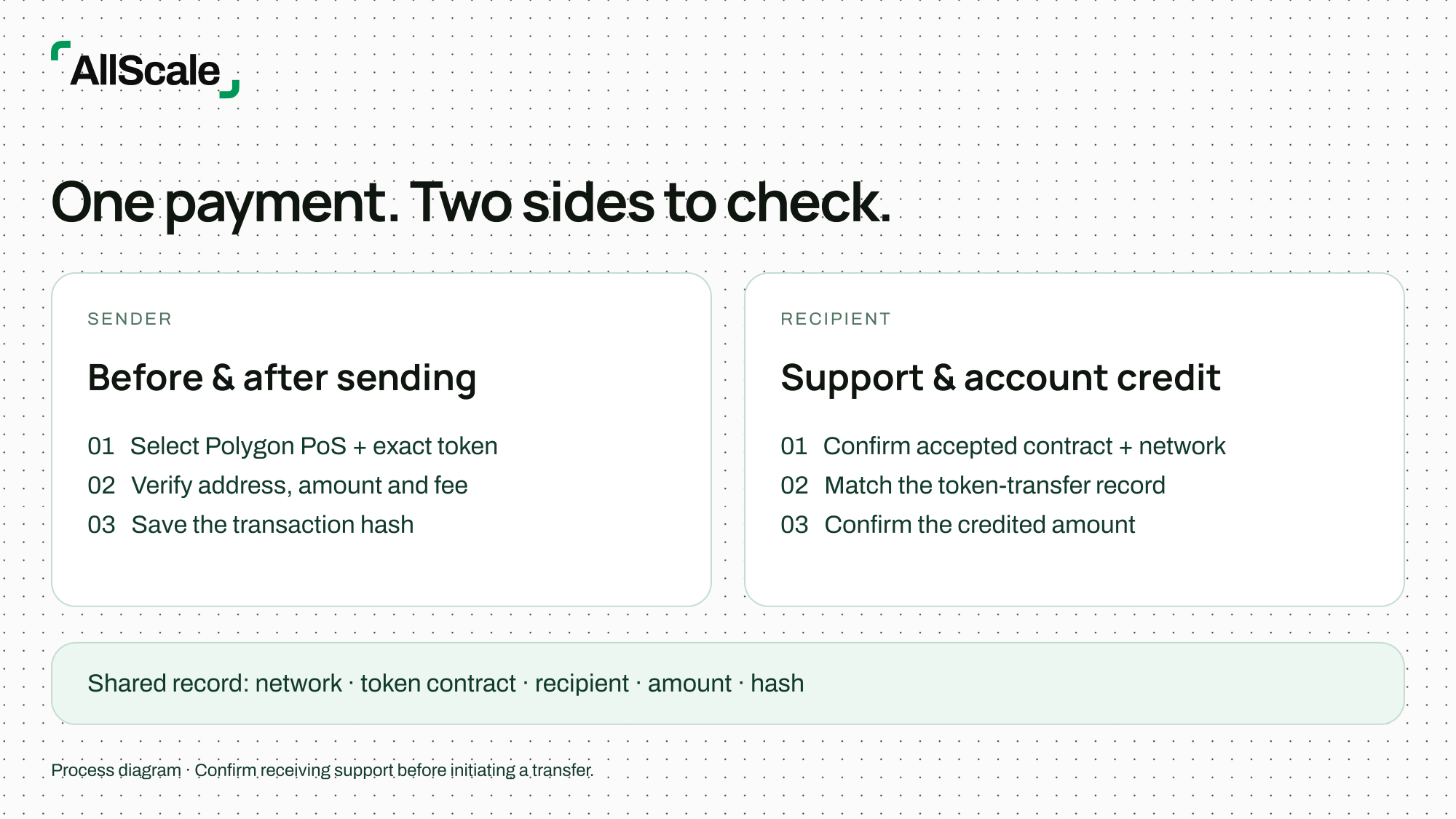
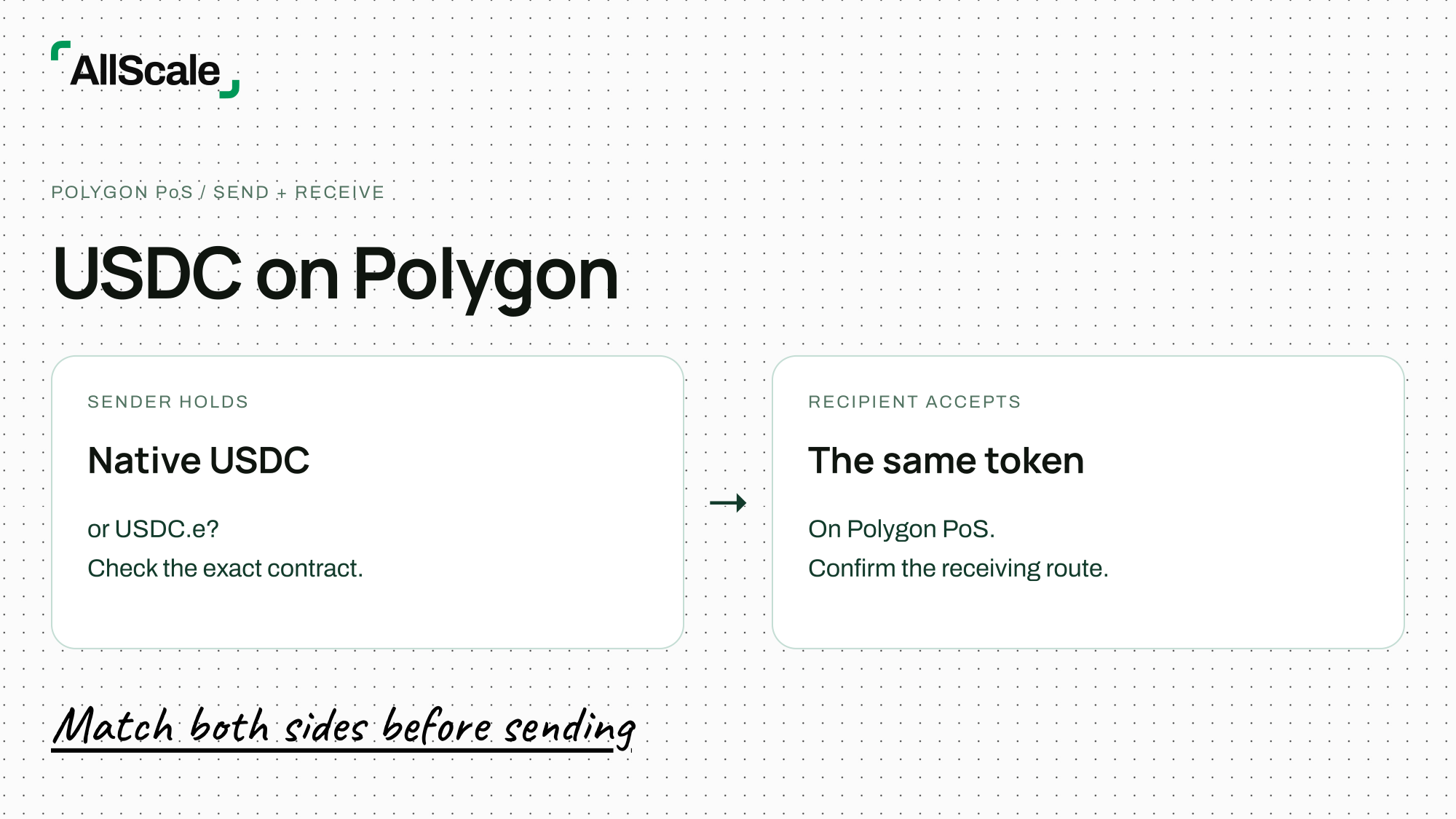
Confirm the Polygon network and exact token on both sides before sending. This is a process diagram, not a product interface.
At the confirmation screen
Read the final screen even if the destination is saved. Check whether the platform is sending the full entered amount or deducting its fee. If it has separate asset and network selectors, verify both.
For a conventional self-custody transfer, ensure the wallet has enough of the network’s gas asset to submit the transaction. An exchange or a wallet that sponsors gas may present a different charging model; use the fee and funding requirements for that specific flow.
After submission
A platform may create a withdrawal reference before it broadcasts a blockchain transaction. Save that reference, then obtain the transaction hash when the platform provides it. If no hash exists yet, the sending service is the first place to check the withdrawal’s progress.
Use a Polygon PoS explorer, such as PolygonScan, for a Polygon transaction. In the transaction’s token-transfer details, verify the USDC contract, recipient and amount. The top-level “To” field may describe an interaction with a token contract rather than the person receiving the tokens.
If the recipient uses a hosted platform, ask them to check its deposit record and available balance as well. A successful network transaction does not establish that the service has applied the deposit to the account.
Keep the business amount connected to the transfer
Illustrative example: a supplier requests 500 native USDC on Polygon PoS. The customer confirms that the withdrawal screen shows the supplier will receive 500 USDC and that any fee is accounted for separately. After submission, both parties match the token-transfer record to the supplier’s address. The supplier then confirms that its receiving account has credited the 500 USDC and records the hash against the invoice.
If the receiving account shows less than 500, the invoice should not automatically be marked paid in full. Compare the sending amount, deducted fees and actual credit with the agreed payment terms. This example illustrates reconciliation; it is not a fee quote or a promised processing time.
Review network and platform costs
Polygon PoS uses POL as its native gas token. Older instructions referring to MATIC may predate the network’s migration. Use the current wallet and network documentation when checking the gas balance. Polygon’s explanation of the MATIC-to-POL migration.
A network fee and a platform withdrawal charge are different costs. A platform may quote its charge in USDC even though the underlying network uses POL. The quote on the withdrawal screen tells you what that service charges for the selected route.
Do not substitute a fee from a previous transaction for the current quote. Likewise, distinguish a platform’s processing estimate from a network confirmation estimate. The recipient’s crediting policy adds another stage; there is no single arrival time that applies to every Polygon USDC payment.
If the starting asset is on Ethereum or another network, any bridge, conversion or cross-chain service introduces additional steps and costs. Verify what token will arrive on Polygon PoS before using that route. Simply changing a wallet’s selected network does not move an existing balance.
Resolve a missing or unsupported deposit
Start with evidence, especially if the sender reports success but the recipient sees no balance. Check the network first, then the token contract, transaction status and receiving policy.
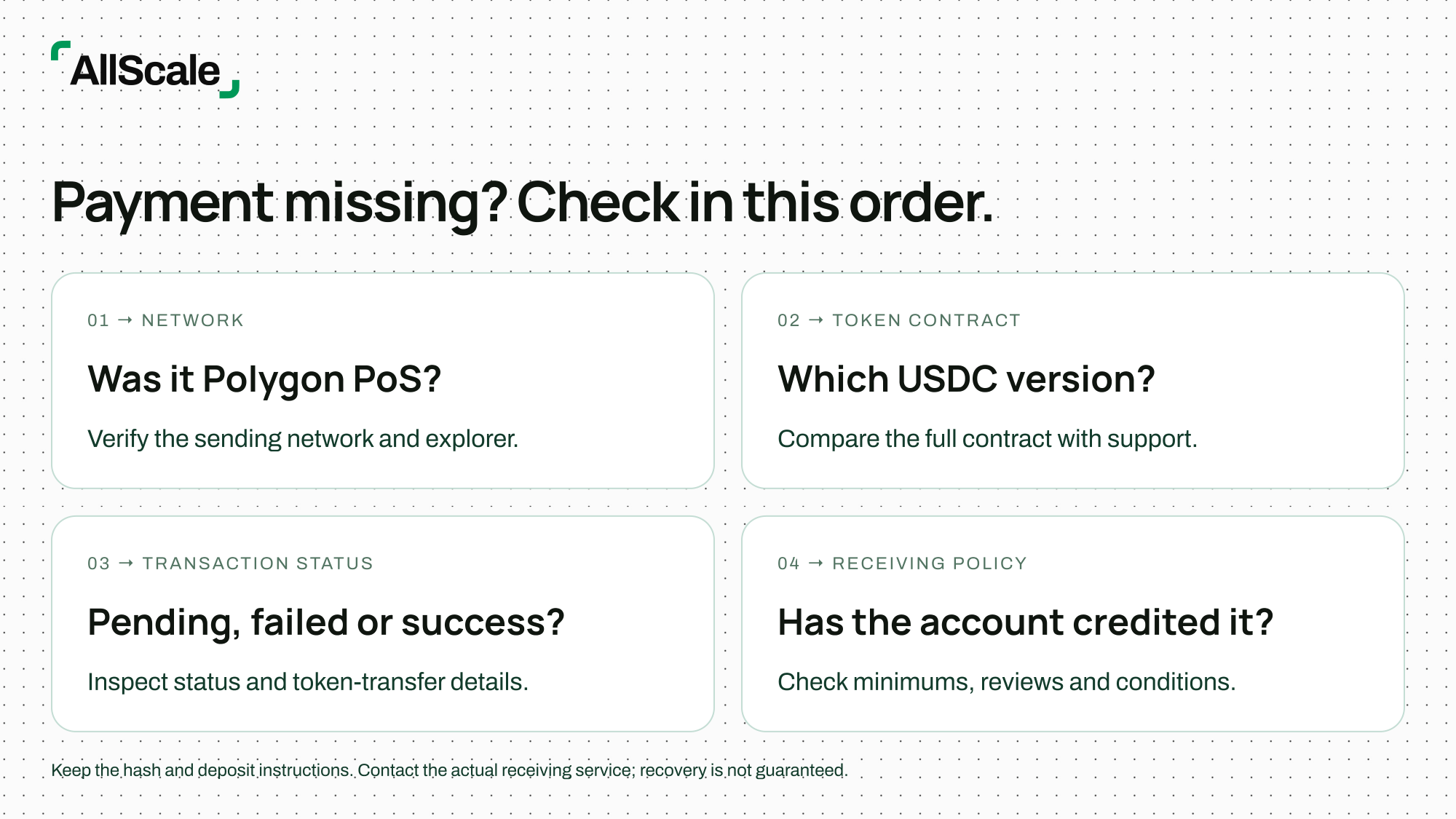
A recipient using a self-custody wallet may also need to display the correct network and token to see a balance. Verify the on-chain token-transfer record first. Adding a token to a wallet’s display does not convert the asset, change its network or cause an exchange to support it.
For an unsupported deposit, retain the transaction hash, network, full token contract, amount, destination address, timestamp and any withdrawal reference. Provide these through the receiving service’s official support channel, along with the deposit instructions used. Never provide a private key or recovery phrase.
Recovery depends on the destination and the receiving service’s capabilities and policies. Do not assume a successful transaction can be reversed, or send another payment in the hope that it will fix the first one. Agree the next step with the recipient after the original payment has been traced.
Frequently asked questions
Are native USDC and USDC.e interchangeable for a deposit?
No. Verify the exact contract accepted by the receiving service on Polygon PoS. A route that supports one version may not credit the other.
Can I send Polygon USDC to an Ethereum receiving route?
Do not use an Ethereum-only deposit route for a Polygon PoS transfer. Even when the address format looks the same, the receiving service must explicitly support the sending network and token. If the funds need to move between networks, use a separately verified cross-chain route.
Do I need POL to send USDC on Polygon?
A conventional self-custody transaction uses POL for gas. Hosted services and wallets with gas sponsorship or fee abstraction may handle the charge differently. Check the requirements shown for your actual transaction.
Where should I confirm that a payment arrived?
Check the Polygon token-transfer record and the recipient’s wallet or service account. Match the contract, amount and destination, then obtain confirmation of credit before closing the payment record.
What if my wallet calls both tokens USDC?
Open the token details and compare the full contract address. Treat the displayed name as a label, not sufficient proof of which token you hold or which deposit route accepts it.
Connect the payment to an invoice
For a client payment, keep the verified receiving instructions, expected amount and transaction reference with the invoice. That gives both parties a shared business record if the payment needs follow-up.
Explore AllScale Invoice to review client invoicing and shareable payment links. Check the payment options available in the actual invoice flow before requesting payment; this guide does not establish support for a particular Polygon token or deposit route.
Published by AllScale. This guide covers transfer checks and cites Circle and Polygon documentation; it is not a hands-on test of every wallet or receiving platform. Product and receiving policies should be checked again before sending.