
By AllScale Editorial · Updated October 26, 2026 · 13 min
Use an invoice to request payment and a receipt or payment confirmation to record what has been paid. The invoice vs receipt distinction is about the document's purpose, amount and payment status. For a partial payment, keep the original charge, the amount received and the remaining balance connected to the same invoice reference.
An invoice for USD 1,200 does not prove that USD 1,200 arrived. If the client has paid USD 400, the payment confirmation should describe that USD 400 payment, while the invoice record shows USD 800 still outstanding. The following example carries those amounts through collection, reconciliation and a later refund.
Invoice vs receipt: choose by the task
An invoice describes the charge and requests payment. It may also carry payment-status information, but sending it does not show that payment occurred. A receipt records a payment received; it can relate to the whole charge or just one installment.
A payment confirmation can serve a similar operational purpose, but the label does not establish its legal or tax sufficiency. A supplier acknowledgment, processor notification and sender's transfer confirmation can describe different stages. Read what the document actually confirms and who issued it.
Invoice vs bill
In everyday business use, an invoice and a bill often refer to the same request for payment: the supplier issues an invoice, and the customer records a bill to pay. Neither word means the charge has already been settled. Where a particular tax document or contract uses a defined term, follow those requirements.
Document requirements depend on where and why you use them
For example, UK government guidance requires specified invoice details, including identifiers, parties, supply and invoice dates, the charge and applicable VAT information. That is UK guidance, not a universal template for every country. GOV.UK invoice requirements.
For US business records, the IRS explains that invoices, receipts, deposit information and other supporting documents underpin entries in the books. It also notes that a combination of documents may be needed to substantiate a purchase or expense. Keep the evidence needed for the actual purpose, rather than assuming a receipt alone answers every accounting question. IRS recordkeeping guidance.
Compare the fields with a worked example
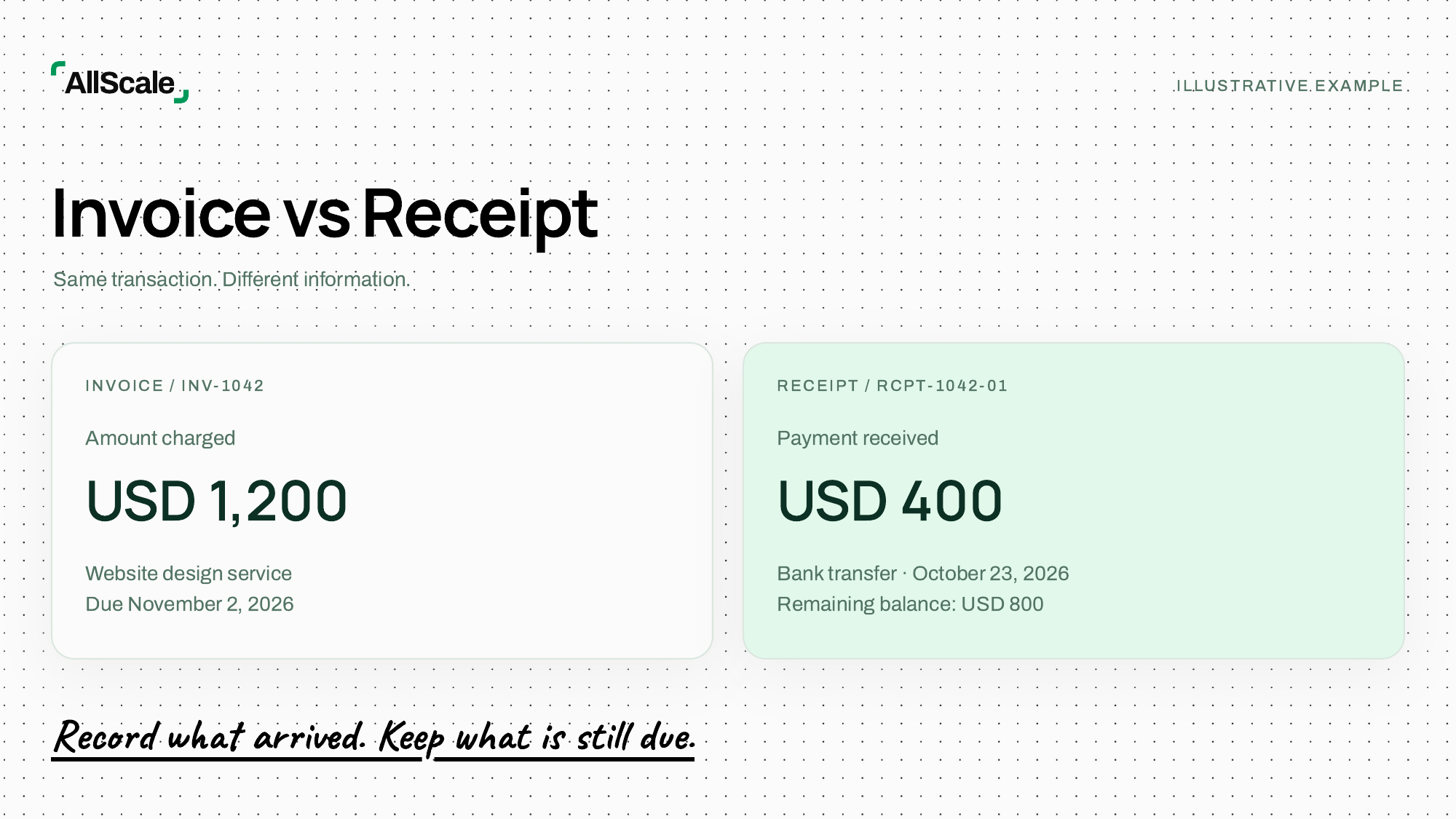
Illustrative example. Cedar Studio provides a website design service to Northline Consulting for USD 1,200. Both names and all document references below are fictional. Taxes and processing fees are excluded to keep the payment arithmetic clear; the example is not a jurisdiction-specific tax invoice.
The studio issues invoice INV-1042 on October 19, 2026, with an agreed due date of November 2. On October 23, it verifies a USD 400 bank payment and creates payment confirmation RCPT-1042-01.
The important change is from amount charged to amount received. The supplier, customer, service and invoice reference stay connected. The confirmation adds a receipt date, payment method and transaction reference.
Do not replace the invoice total with USD 400 to make it match the first payment. That would obscure the original USD 1,200 charge. Preserve the issued document and record payments against it, or use your accounting system's supported audit trail for changes.
Likewise, do not label the USD 400 confirmation “paid in full.” A clear customer-facing statement would be:
We received USD 400 by bank transfer on October 23, 2026, toward invoice INV-1042. Total payments received against this invoice are USD 400. The remaining balance is USD 800, due November 2, 2026.
A real confirmation should also contain the identifying and tax details required for its intended use.
Match payment evidence to the invoice
Start from the record on the receiving side. A client's screenshot can help locate a transfer, but it may show a payment instruction, a pending transaction or a different recipient. Check the underlying bank, processor or wallet record before confirming receipt.
Use the following matching checklist:
If one payment covers several invoices, record the allocation to each. If several payments cover one invoice, retain each transaction separately. Reusing a customer name as the only reference makes either case difficult to reconcile.
Bank and processor records
A bank credit shows money reaching an account. A processor receipt may identify a successful customer payment even when the later bank payout combines several transactions. Match the individual payment to the invoice, then reconcile the aggregate payout separately.
For example, a USD 400 customer payment could lead to a smaller bank deposit after a processing fee. Do not automatically classify that fee as an unpaid customer balance. Establish the gross payment, the fee and the amount properly applied under the agreement. The simple USD 400 example above assumes no deductions.
Stablecoin payment records
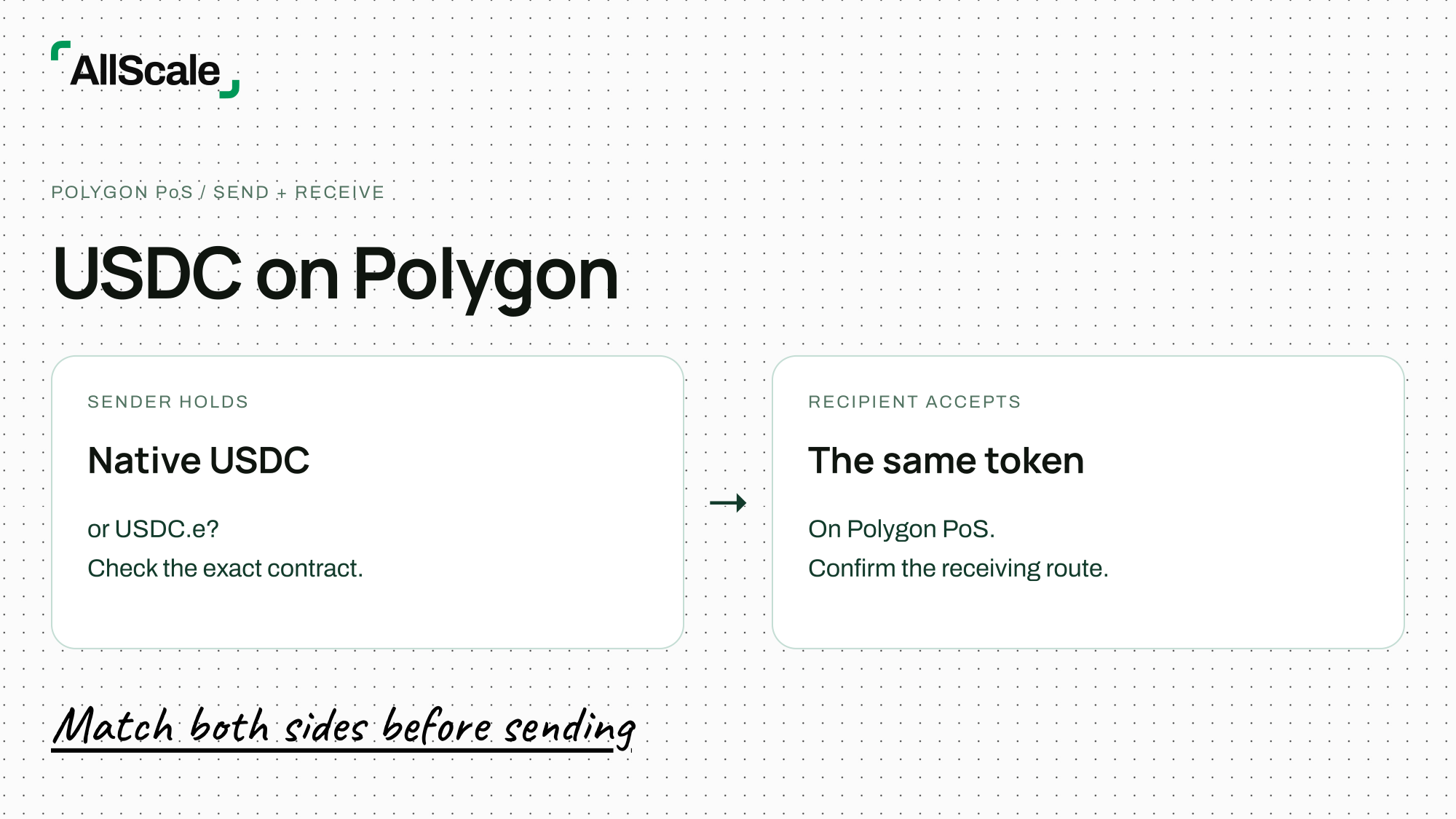
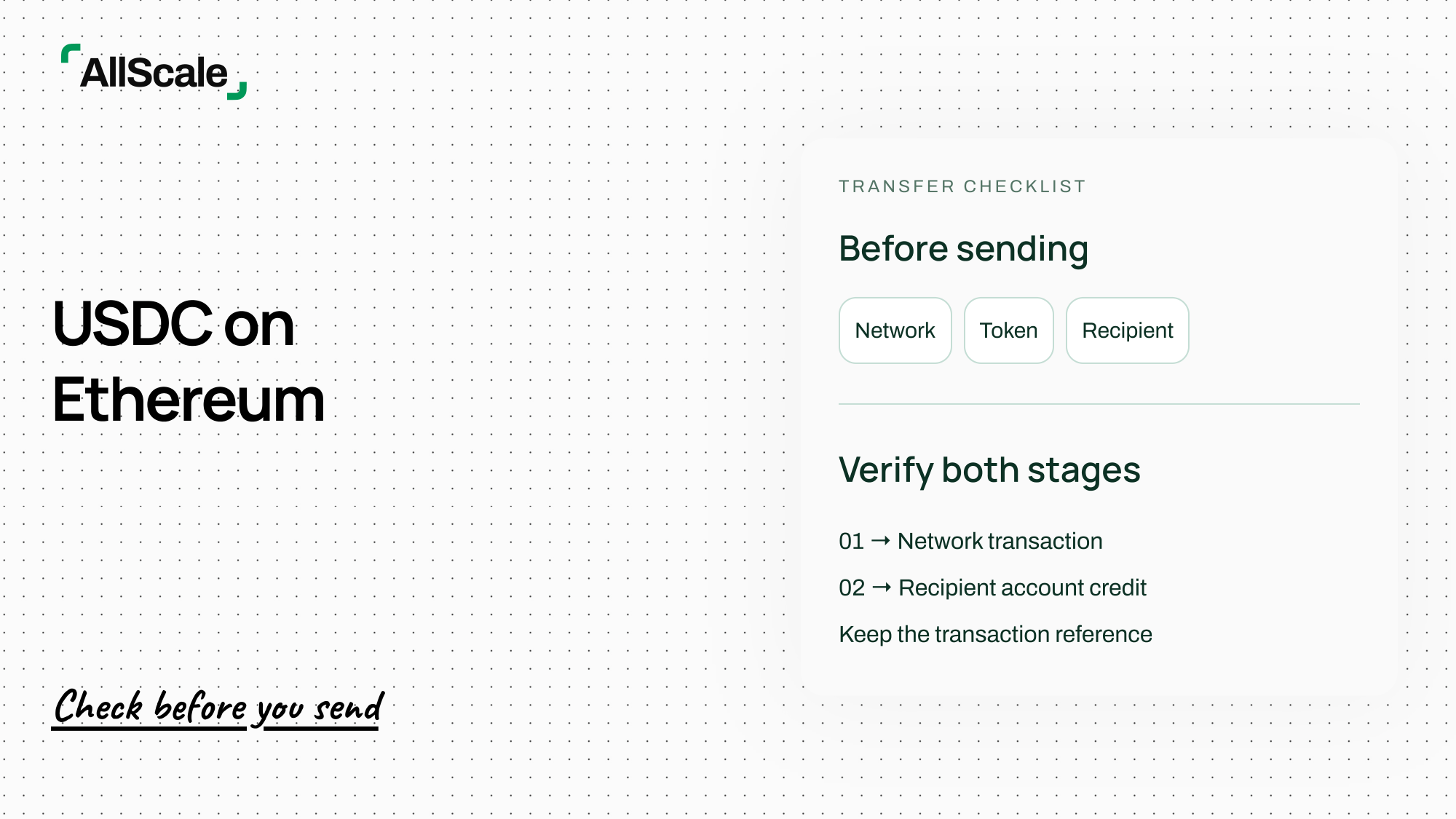
A transaction hash identifies a network transaction. It does not, by itself, explain which service was purchased or which invoice it settles. Check the network, token identity, recipient, transferred amount and relevant confirmation status, then link that evidence to the invoice.
Keep the invoice's pricing currency separate from the settlement asset. If a USD invoice is paid with USDC or USDT, retain the agreed conversion or valuation basis and applicable fees. Do not silently replace “USD” with a token symbol or assume the same displayed number establishes the accounting value.
When a payment goes to a custodial service, network confirmation and credit to the customer's service account may be separate events. Describe the stage you have verified. If the business needs bank funds after a conversion, retain those later records too.
Handle partial payments, refunds and paid invoices
Partial payments: keep the original charge visible
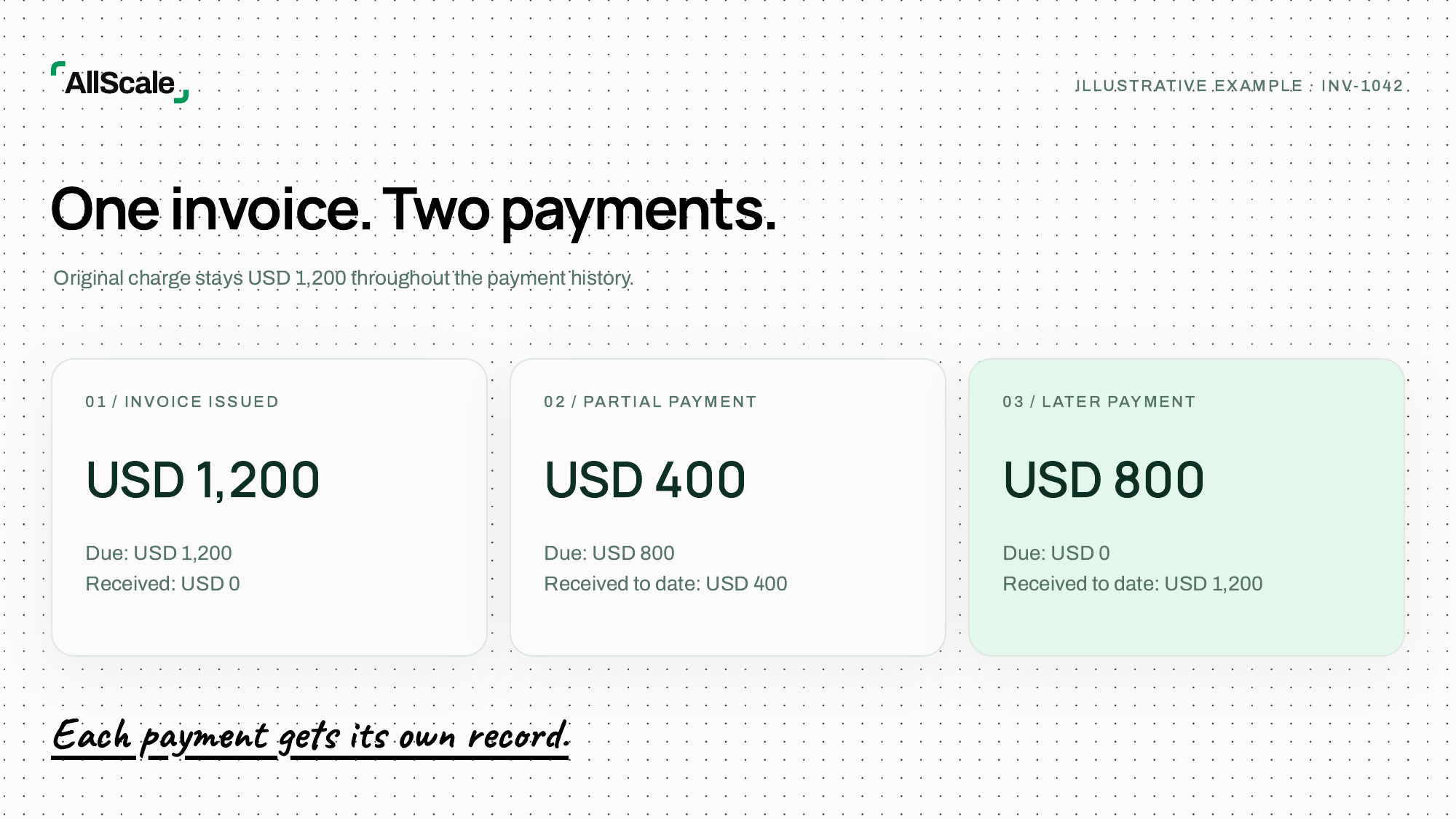
After the first USD 400 payment, the calculation is straightforward:
USD 1,200 original charge − USD 400 applied payment = USD 800 outstanding.
If Cedar Studio later verifies the remaining USD 800, it should record that second payment separately. A confirmation for the second payment reports USD 800 received on that occasion and USD 1,200 cumulatively, rather than implying the entire USD 1,200 arrived in one transfer.
The third row is a hypothetical later event, not a claim that it already occurred on the article's update date. Software support for partial payments varies; confirm how your own system records multiple payments and changes invoice status. Stripe, for example, documents a partial-payment workflow in its invoicing product. That does not establish the same feature in another product. Stripe partial-payment documentation.
Refunds: separate the returned money from the reason for the adjustment
Continue the hypothetical example after the invoice has been fully paid. Cedar Studio agrees to reduce the service charge by USD 100 and returns USD 100 to the client.
Keep the original invoice and both payment records. Add the appropriate credit or adjustment document for the USD 100 price reduction, then a separate refund record linked to the original payment and invoice. Record the reason, amount, currency, date, destination and refund reference.
The refund does not mean the client owes another USD 100: the agreed charge also fell by USD 100. A returned payment for a different reason may have a different effect on the balance. Keep the commercial adjustment and the movement of money distinct.
A credit note is not proof that a refund has reached the customer. Stripe's documentation illustrates this distinction: a credit note reduces an invoice amount without itself recording a payment, and a paid invoice may require a corresponding credit or refund action. Follow the documentation and tax requirements applicable to your system and business. Stripe credit-note documentation.
If a refund is only initiated, say so. Preserve the later confirmation when it completes. For token payments, verify the supported refund asset, network and recipient instructions rather than assuming the original sending address is an appropriate return destination.
Paid invoices: a status needs supporting detail
A paid invoice may serve as payment confirmation for some purposes when it includes the required details. Check the recipient's needs and applicable rules before treating it as a sufficient receipt or tax document.
A useful payment summary identifies the original invoice, payments applied, their dates and references, and the remaining balance. Keep adjustments and credits visible as well. A zero balance can result from a credit or write-off, so it does not always mean the customer sent the original invoice total in cash.
Avoid recording the sale twice when you issue both an invoice and a receipt. They describe related events in the same transaction. The accounting treatment depends on your accounting method and local requirements; adding a receipt document is not, by itself, a second sale.
Create a clear payment record
Use a repeatable process from the first invoice to the final confirmation:
- Create the invoice. Check the parties, service description, pricing currency, agreed terms and required local fields. Give it a unique reference.
- Send it through the agreed channel. Retain the issued version and verify the receiving instructions before sharing them.
- Check the payment. Match the receiving record against the invoice. Investigate missing references, deductions or an unexpected payer before allocating it.
- Record the amount applied. Update the cumulative payment and remaining balance. Distinguish partial payment, full settlement and adjustment.
- Send an accurate confirmation. State what was actually received and what remains due. Use the receipt format required for the customer's purpose.
- Keep the linked records. Save the invoice, payment evidence, customer confirmation and any credit or refund documentation together under the same reference.
One practical folder or record group for INV-1042 would contain the issued invoice, the USD 400 receiving record, its confirmation, the later USD 800 record, and any subsequent adjustment and refund. Save actual references in the accounting record; a screenshot filename alone is a weak connection between documents.
Where AllScale fits
AllScale Invoicing provides invoice creation and shareable payment links, with payment-status tracking described on its product page. It can support the collection stage when the available payment method and settlement asset fit the transaction.
Generating an invoice is not evidence of payment, and a payment-status label should be checked against the transaction it represents. This guide does not assume AllScale automatically issues every required receipt, tax document or credit note. Prepare those records using the verified transaction details and the requirements that apply to your business.
For a simple payment request, begin with the invoice's business fields. Once funds arrive, complete the matching and confirmation steps above rather than treating the invoice PDF as the end of the process.
Frequently asked questions
Is an unpaid invoice proof that payment was received?
No. It records a charge and payment request. Match it with payment evidence and the receiving record before confirming that it has been paid.
Can a paid invoice act as a receipt?
It may serve as payment confirmation for some purposes when the necessary details are included. Check the document's intended use and applicable requirements rather than assuming it is sufficient everywhere.
Does a transaction hash replace an invoice?
No. It identifies a network transaction. Keep it with the invoice reference, service description and agreed payment terms, and verify the asset, network, recipient and amount.
Should a receipt show the full invoice amount after a partial payment?
It can show the original amount as context, but it must distinguish that from the amount received. In this example, the charge is USD 1,200, the first payment is USD 400 and the remaining balance is USD 800.
Is an invoice the same as a bill?
The terms often describe the same payment request from different sides of the transaction. Neither establishes payment. Use the terminology and document type required by the relevant contract or rules.
Does a refund erase the original receipt?
No. Retain the original payment history and add the refund record and any required adjustment document. The record should explain both what was received and what was later returned.
Is a screenshot enough to confirm payment?
A screenshot can help investigate a payment, but check the underlying receiving record and match it to the invoice. It may show an initiated or pending transaction rather than completed receipt.
Keep the request and the payment connected
The invoice explains the charge. The receipt or confirmation explains what arrived. Link both to the underlying payment, preserve later adjustments and make the remaining balance easy to find.
Create an invoice with AllScale, then complete the payment record with verified receipt details when the customer pays.